Allow anyone to Add Social Accounts
In BlackTwist, you can allow your teammates or clients to connect their own social media accounts without needing your BlackTwist login credentials. This is especially helpful when managing multiple accounts across different team members or clients.
Steps
Log in to your BlackTwist account
Go to blacktwist.app and sign in with your credentials
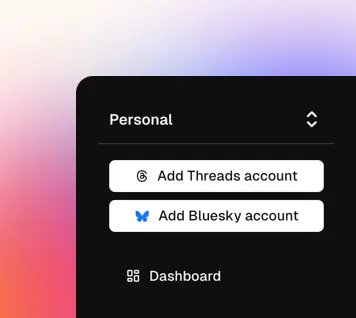
Click on Add Threads account or Add Bluesky account
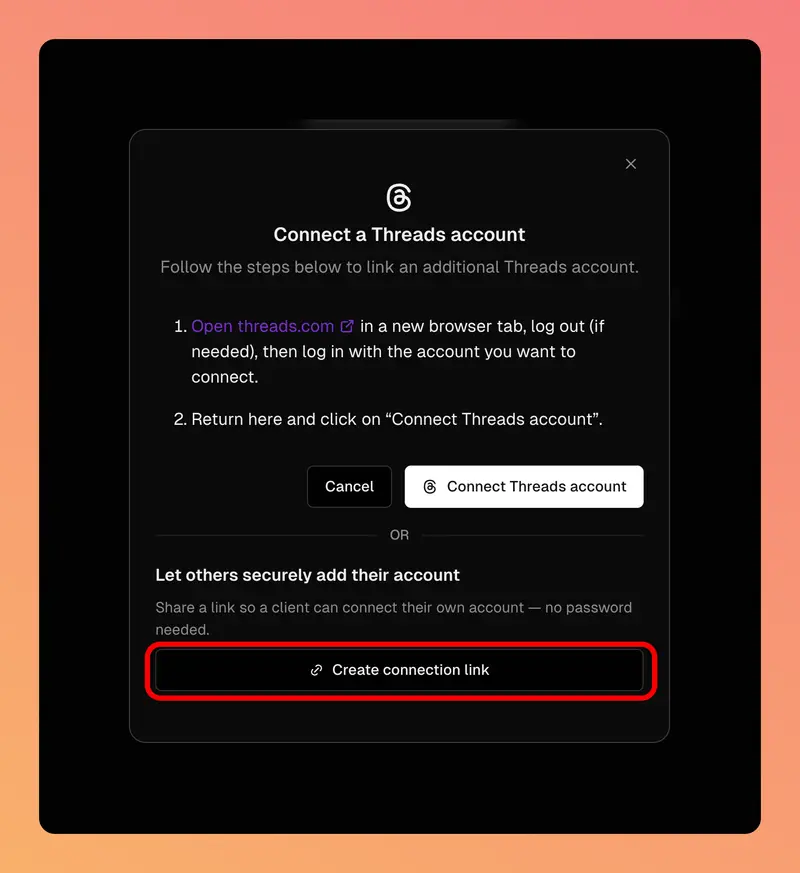
Click on Create connection link
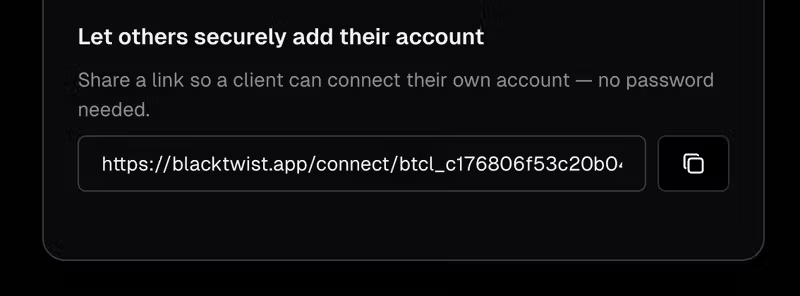
A new link will be generated — copy and share it with your teammates or clients.
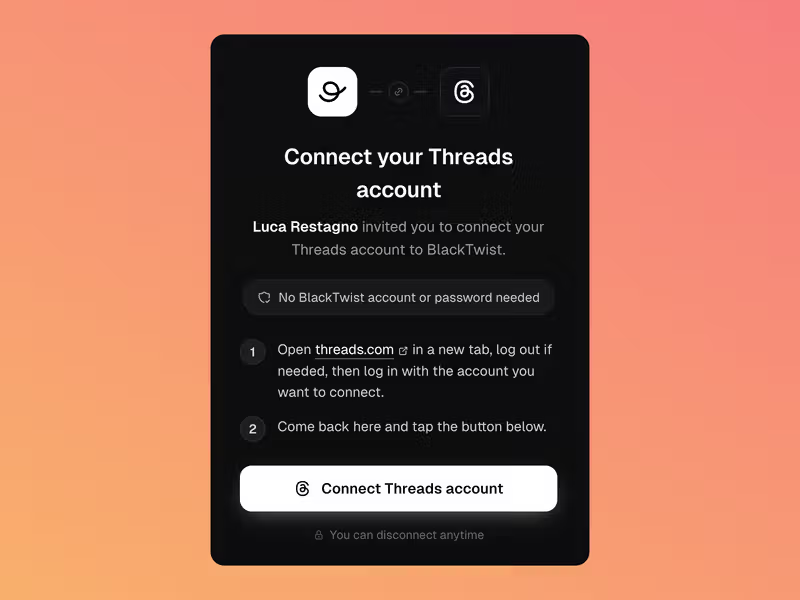
When they open the link, they will see a screen allowing them to securely connect their Threads or Bluesky account.
If they provide an email, the account owner can autonomously disconnect the account at any time.
A client who connects the social account using this method can always unlink it from BlackTwist on Threads and Bluesky.